Not another generic
document builder
Policy forms aren't like other documents. Coverage amounts change. Endorsements appear conditionally. Named insureds repeat. Generic tools make you work around these realities—our system is built for them.
Why generic tools fall short for insurance
Standard document builders weren't designed for the complexity of policy forms. Here's what makes insurance different.
Structured Coverage Data
Limits, deductibles, premiums, and policy-specific fields need proper typing, validation, and formatting—not just text fields.
Conditional Logic
Endorsements and coverages appear based on policy attributes. Forms need to adapt automatically to what was purchased.
Repeating Sections
Additional insureds, scheduled equipment, multiple locations—these dynamic lists can't be handled with static templates.
Built specifically for insurance policy forms
Three core capabilities that make Pathience different from generic document builders.
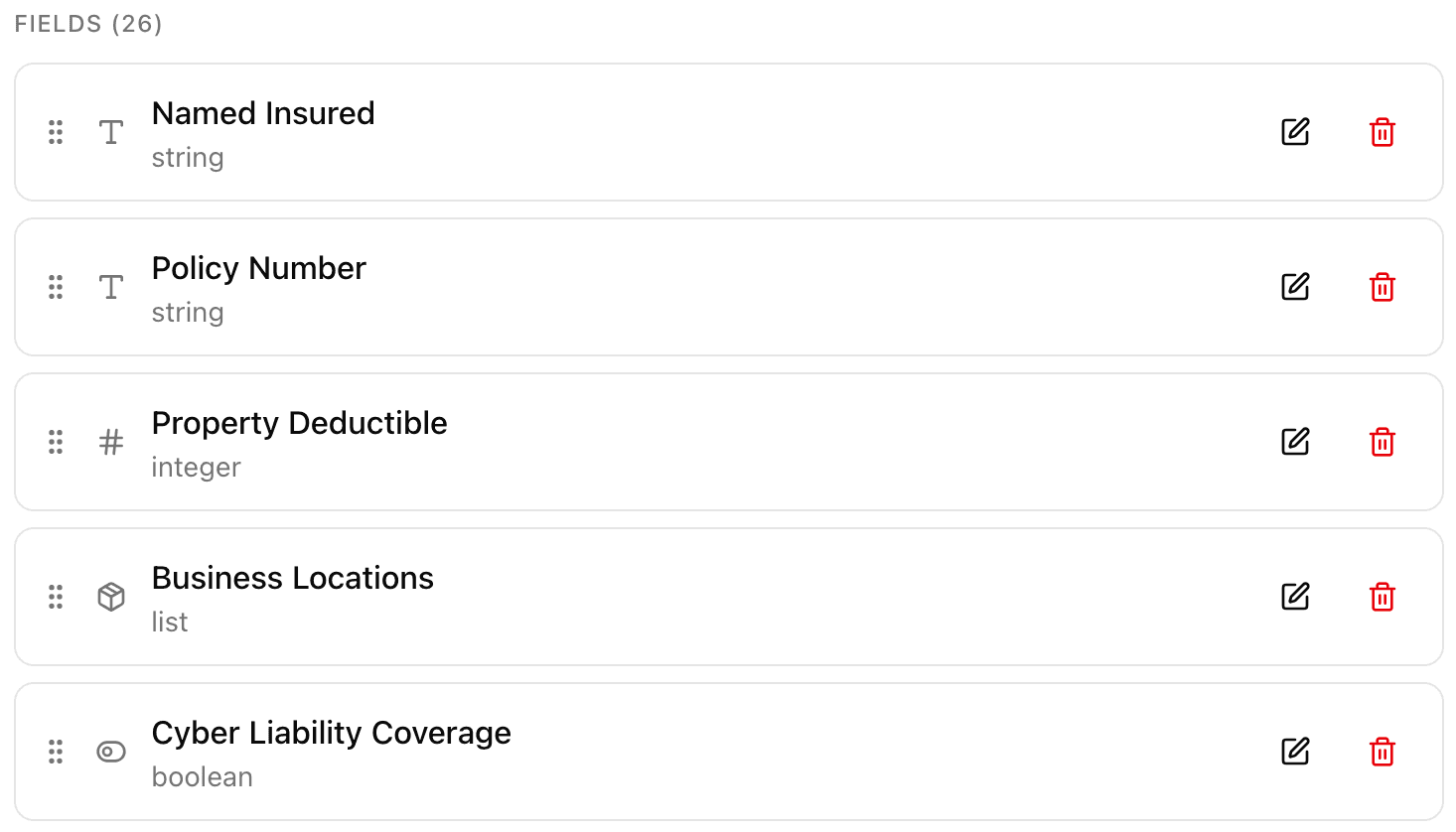
Define your coverage model once, use it everywhere
Create a structured data model for your policy—coverage limits, deductibles, premium factors, named insureds. Reference these fields throughout all your forms. Change a coverage definition in one place, update every document that uses it.
- Typed coverage fields with proper formatting and validation
- Complex structures like lists of additional insureds
- Reusable across commercial and personal lines
- Currency, dates, percentages—all handled correctly
Insert coverage values directly into your policy language
Drop variables right into your form content. Reference coverage limits, premium amounts, effective dates—anything in your data model.
Show endorsements only when they apply
Set conditions on any paragraph, table, or entire section. Include endorsements only when purchased. Show coverage terms only when they apply.
- Visual editor with autocomplete—no coding required
- Conditions work on paragraphs, tables, or entire forms
- Reference any field from your data model
- Preview how forms look with different data values
Everything else you'd expect
Beyond insurance-specific features, we've built a comprehensive platform for policy document management.
Visual Form Editor
Rich text editing with tables, lists, formatting, and precise layout control. No HTML or coding required.
Version Control
Track every change with complete version history. Lock published forms and reproduce exact documents years later.
State Variations
Manage state-specific language and requirements. Branch from base forms and track what changed per state.
PDF Generation
Generate professional PDF policy packages with proper page breaks, headers, footers, and formatting.
Product Packages
Group related forms together. Manage complete products—policy, application, endorsements—as a single unit.
Audit Trail
Complete history of what was filed, when it was effective, and who made changes. Always examination-ready.
The moment everything clicks
Real problems insurance teams face every day. Real solutions that actually work.
The 15-state rollout that didn't derail
Commercial package policy launching across 15 states. Each state has different endorsement requirements, different filing deadlines, and slightly different policy language. Your team is dreading the copy-paste nightmare.
Define the data model once. Create the base policy. Branch per state with only the necessary changes. Track every state's filing status in one place. What used to take weeks now takes days.
The DOI audit you passed in minutes
State examiner wants to see exactly which forms were in use during Q3 2023. Your current system? A shared drive with PDFs named 'final_final_v3.pdf'. Hope you saved everything.
Pull the exact form versions with effective dates. Export historical versions with one click. Show the complete audit trail of who changed what and when. The examiner moves on to the next carrier.
The endorsement that finally appears only when it should
Your policy has 20 optional endorsements. Underwriters are manually attaching the wrong ones. Claims are finding coverage gaps. Compliance is losing sleep over what might get generated.
Set the conditions once. Equipment Breakdown only shows when equipment_coverage == true. Waiver of Subrogation appears only when requested. Every policy document is correct by default.
The limit increase that updated everywhere
New policy year means new standard limits. Someone needs to find-and-replace '$1,000,000' with '$2,000,000' across 47 forms. Hope they catch every instance. Hope they don't accidentally change something else.
Update the default value in the data model. Every form referencing that limit updates automatically. Preview all affected forms before publishing. One change, done right.
The new underwriter who was productive on day one
Fresh hire needs to understand how your forms work. Where's the latest template? Which endorsements go with which product? Why does this Word doc have weird formatting? Training takes weeks.
Open the form. See the data model. Hover over any variable to see where it's defined. Preview with sample data. They're generating correct policies on their first day.
The product launch that shipped on time
New cyber liability product. Legal, compliance, underwriting, and filing teams all need to review. Email chains with 47 attachments. Version control is a spreadsheet someone forgot to update.
Everyone works in the same system. See exactly what changed between versions. Comment threads tied to specific sections. Lock the final version and ship with confidence.
Stop fighting with generic tools
Join carriers and MGAs who manage their policy documents with a system built specifically for insurance forms.